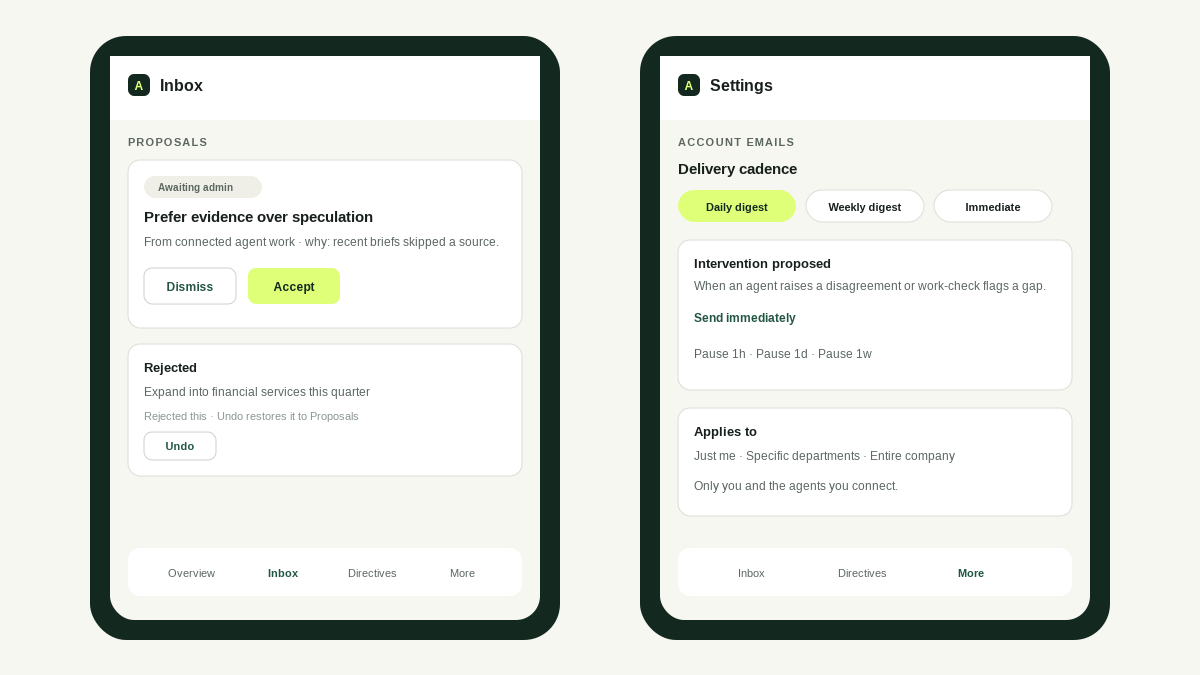
Artifact for Android now mirrors the latest web workspace: members can propose directives, review why a suggestion appeared, undo rejects, connect personal agents, and control account emails.
How to use it
1
As a member, open Inbox to Propose a shared directive, or open More → Integrations to generate a personal MCP connection for Claude, Cursor, Manus, or Ollama.
2
Open Inbox → Rejected and choose Undo to restore a dismissed proposal, then open Settings → Account emails to pick Daily digest and pause when you need quiet.
3
When editing a directive, choose Just me, Specific departments, or Entire company under Applies to.