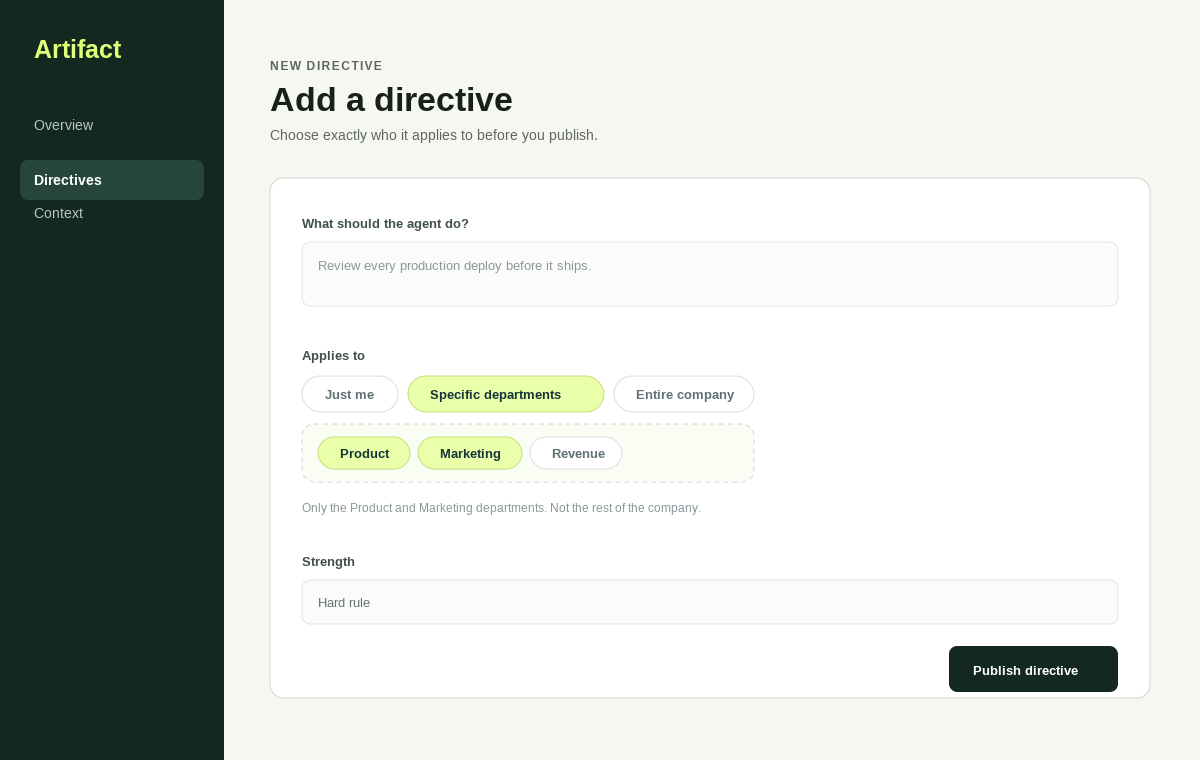
The Applies to control now asks one clear question first: just you, specific departments, or the entire company. Picking specific departments reveals the department toggles so you can select one or several, and a single company-wide choice can no longer be confused with a per-department one.
How to use it
1
Open Directives, choose New directive, and find the Applies to control.
2
Pick Entire company for everyone, or Specific departments and then turn on one or more departments; the line underneath confirms exactly who will receive it.