Back to changelog
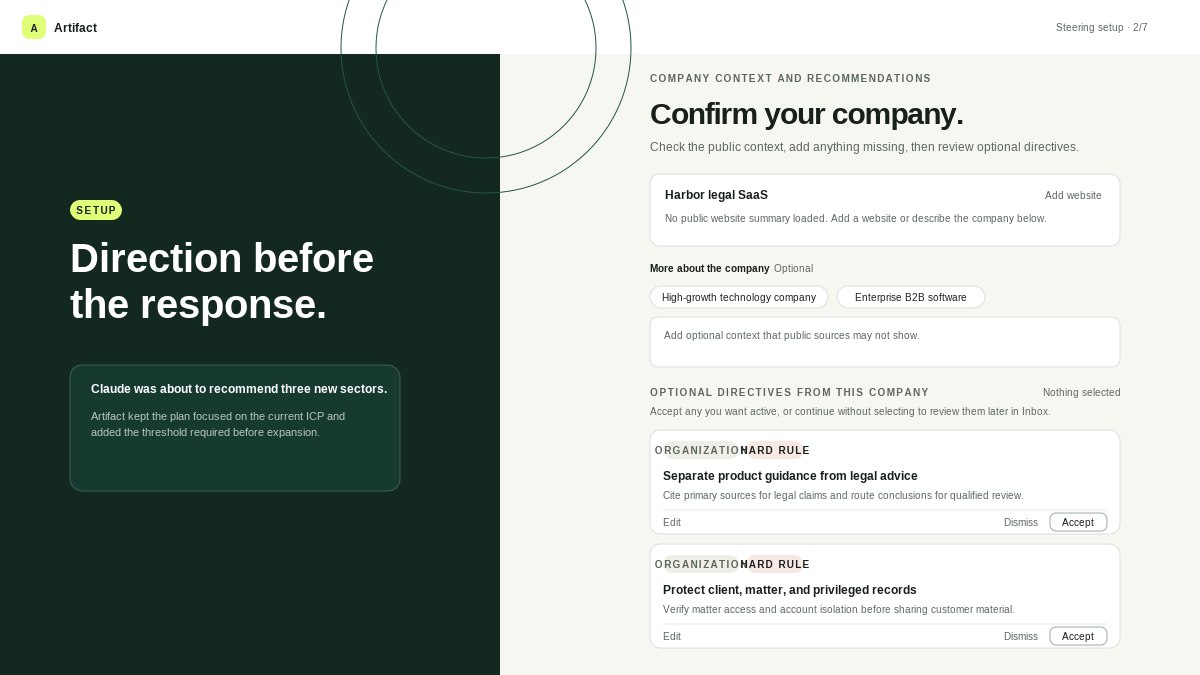
Company search and directive review are separate setup steps
Workspace setup now finishes company search before showing optional directive recommendations on the company context step.
How to use it
- 1
Search for the company, choose the correct match or enter the name, optionally add its website, then select Continue.
- 2
Confirm or add company context, accept any useful directives, or select Skip recommendations to review unselected items later in Inbox.