Back to changelog
Developer API for direction and metrics
A preliminary developer API can return applicable directives and steering metrics after a workspace admin enables access.
How to use it
- 1
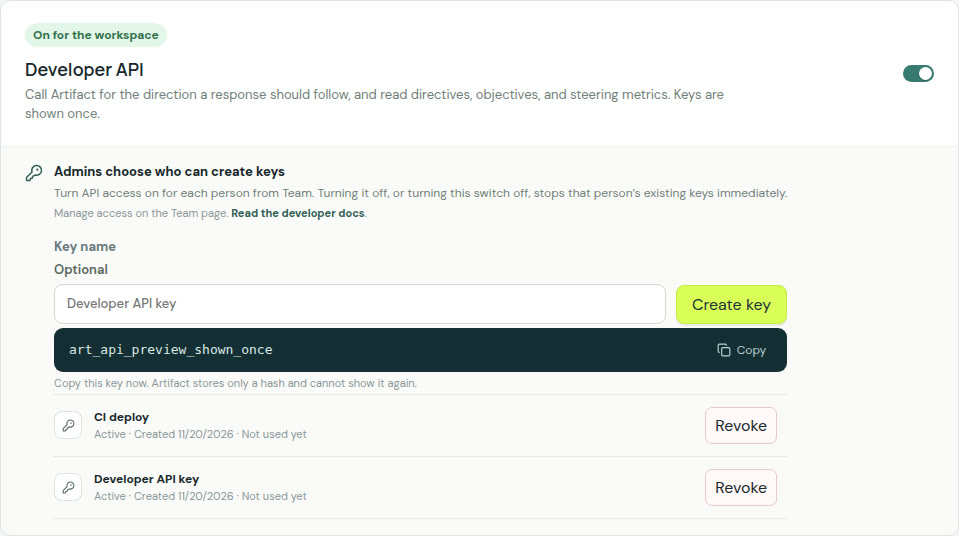
Open Settings and enable Developer API, then open Team and enable API access for each person who should call it.
- 2
Return to Settings, optionally name the key, select Create key, and copy the key before leaving.
- 3
Open Developers and send the key as a bearer token with a direction, directives, responses, or metrics request.