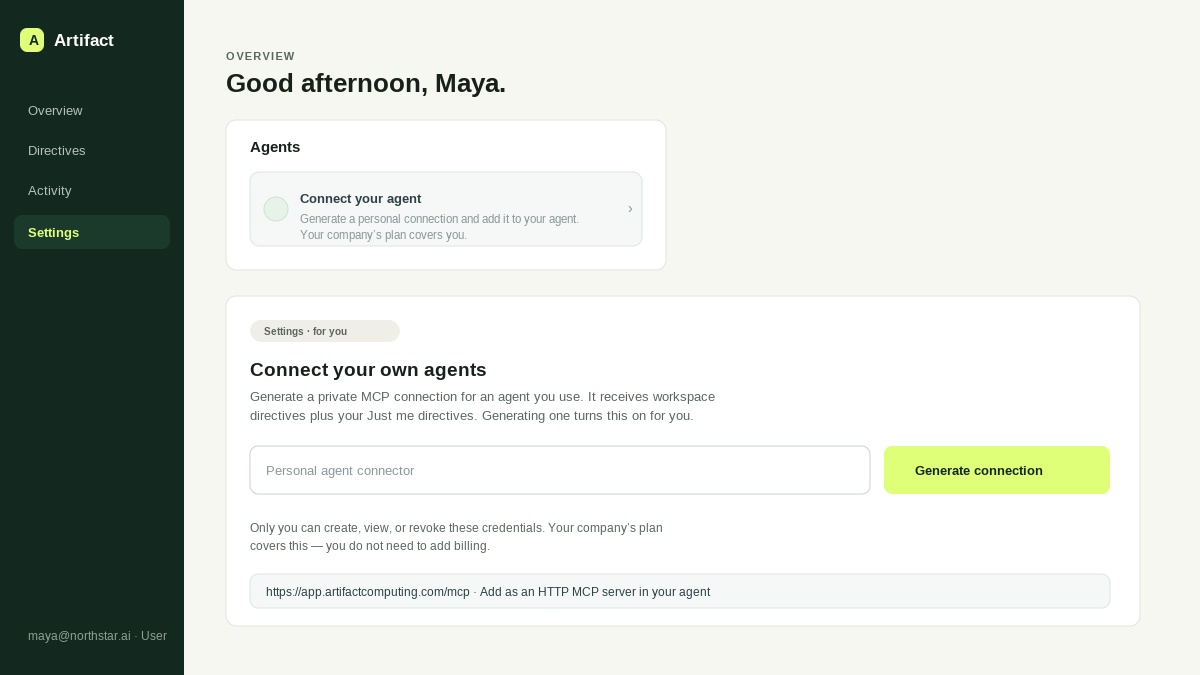
Members can connect their own agents without admin access
A non-admin member can now connect their own agents to Artifact with a private MCP connection — no admin rights and no billing of their own — while workspace management stays admin-only.
How to use it
1
As a member, open Overview and choose Connect your agent (or go to Settings and find Connect your own agents).
2
Select Generate connection to create your private MCP connection — this turns on personal agent steering for you automatically.
3
Copy the configuration and add it to your agent as an HTTP MCP server; rename or revoke your connection anytime from Settings.