Monthly billing caps, threshold invoicing, receipts, and MCP cap alerts
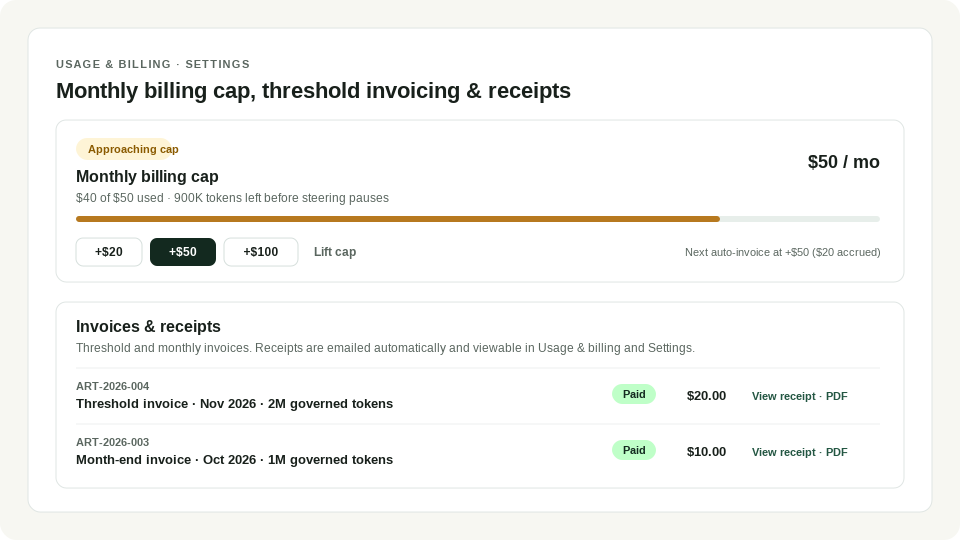
Workspaces can now set, extend, or lift a monthly billing cap, receive automatic threshold invoices with emailed receipts viewable in Settings and Usage & billing, and get notified in MCP chats with one-step authorization to raise or lift the cap.
How to use it
1
Open Usage & billing (or Settings) to set a monthly billing cap, click +$20 / +$50 / +$100 to extend it, or choose Lift cap to remove it
2
Review threshold and monthly invoices under Invoices & receipts in Usage & billing or Settings to inspect receipt details or download PDFs
3
When an MCP agent alerts you that you are approaching or at your cap, confirm an increase or lift in chat (or open the billing link) to continue immediately