Back to changelog
Product

Override Artifact to side with the original agent

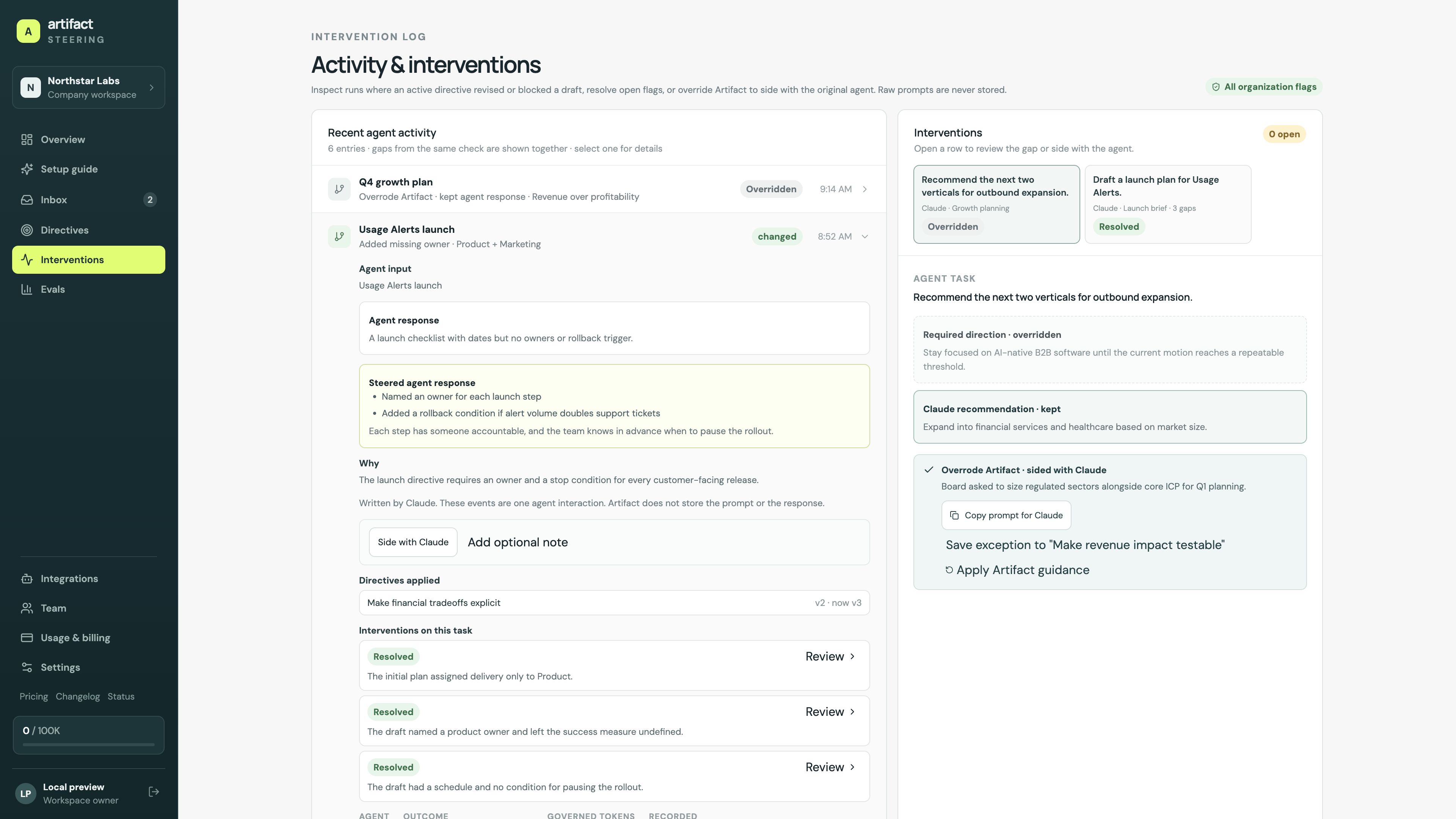
Users can now override Artifact on interventions, steered agent interactions, live previews, and session backfills when they want to keep the original agent’s direction.

The Activity & interventions view in Northstar Labs. In Recent agent activity on the left, Q4 growth plan is marked Overridden and Usage Alerts launch is expanded showing Agent response, Steered agent response, and a Side with Claude button beside Add optional note. In Interventions on the right, Recommend the next two verticals for outbound expansion is marked Overridden with Claude recommendation kept, the optional note Board asked to size regulated sectors alongside core ICP for Q1 planning, Copy prompt for Claude, Save exception to Make revenue impact testable, and Apply Artifact guidance.

How to use it

  1. 1

    Open any flagged gap in Interventions or expand a steered interaction in Overview or Activity & interventions, then select Side with Claude (or the connected agent name) with an optional note.

  2. 2

    Copy the continuation prompt to proceed with the agent’s original recommendation, save the exception to the directive if it should apply in future runs, or select Restore Artifact guidance at any time.