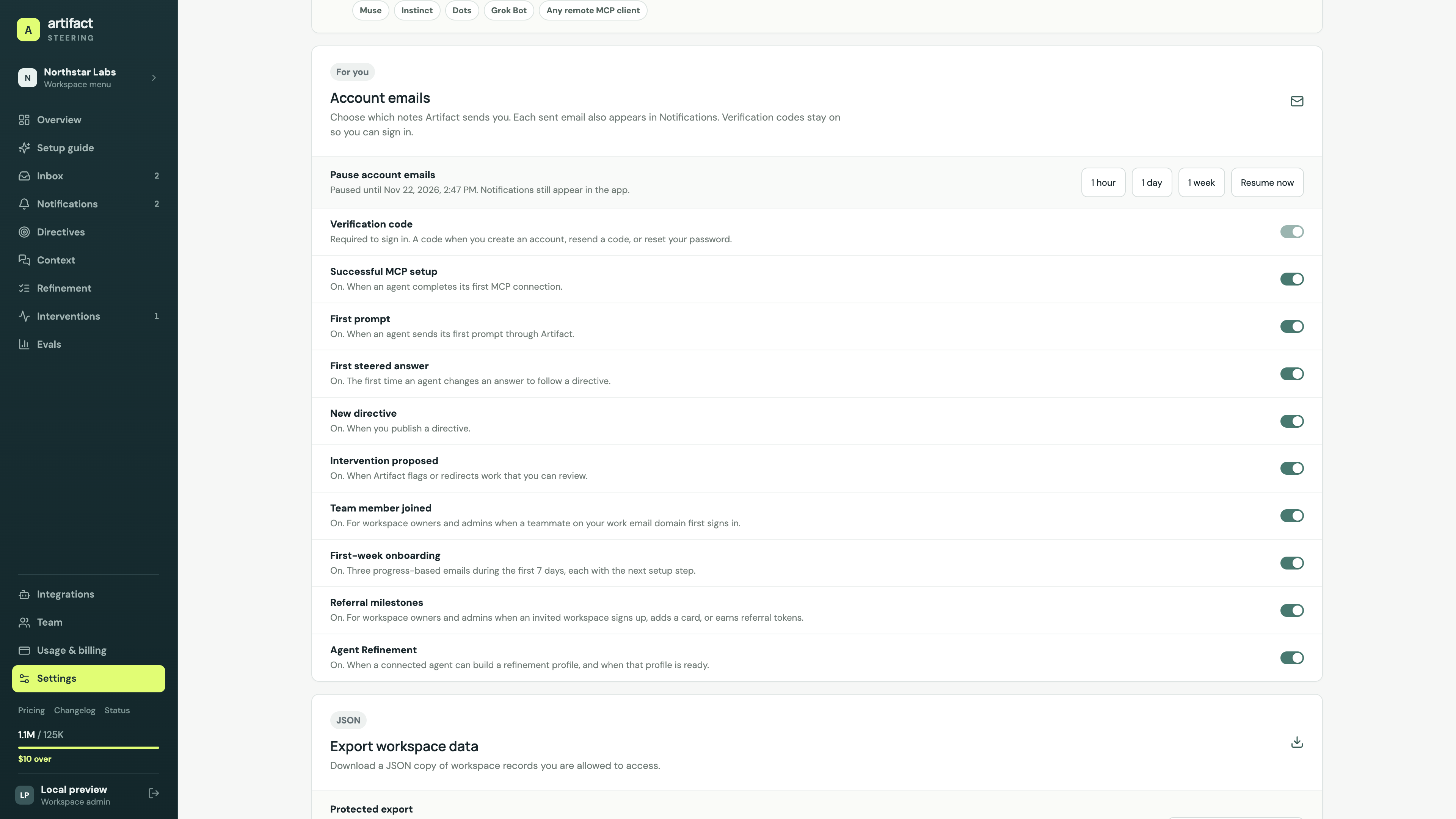
Every account email now carries a pause link so you can quiet your inbox without turning any notification off. Choose 1 hour, 1 day, or 1 week from the email footer or from Settings, and email delivery goes silent for that window while the same notifications keep appearing in the in-app Notifications feed. When the window ends, emails resume on their own.
How to use it
1
In any account email, use the footer link to pause all account emails for 1 hour, 1 day, or 1 week.
2
Or open Settings → Account emails and use Pause account emails; the row shows the active pause and a Resume now action, while your Notifications feed keeps every update.