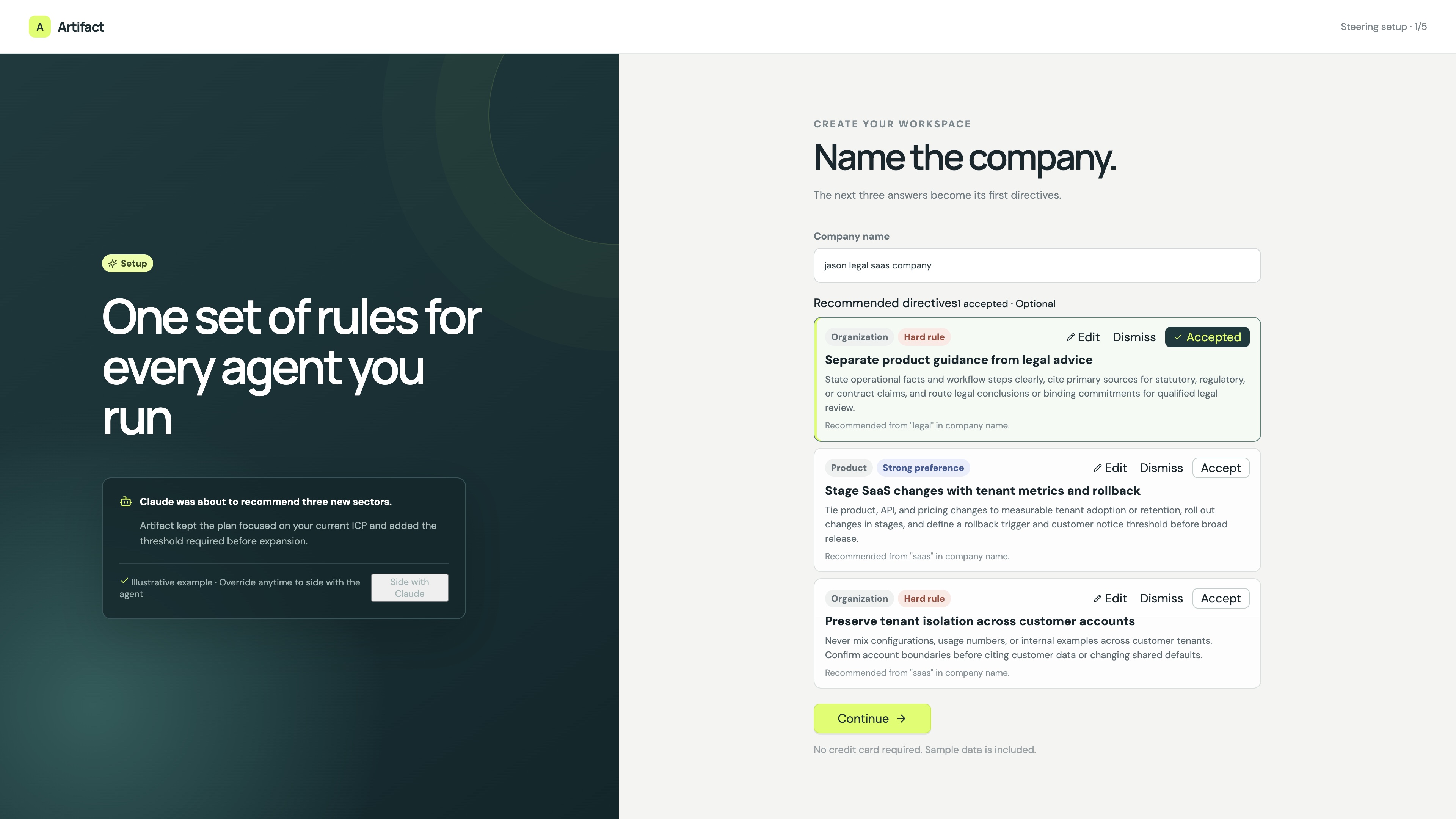
Recommended directives from your company name and workspace context
Artifact now proposes candidate directives from your company name, work domain, setup answers, named agent connections, and team invitations, while keeping every recommendation optional until you accept it.
How to use it
1
Enter your company name during workspace setup to see optional candidate directives matched from your business or work domain.
2
Select Accept on any rule you want live right away, use Edit to adjust its wording, scope, or strength, or continue and review remaining proposals later in Inbox.