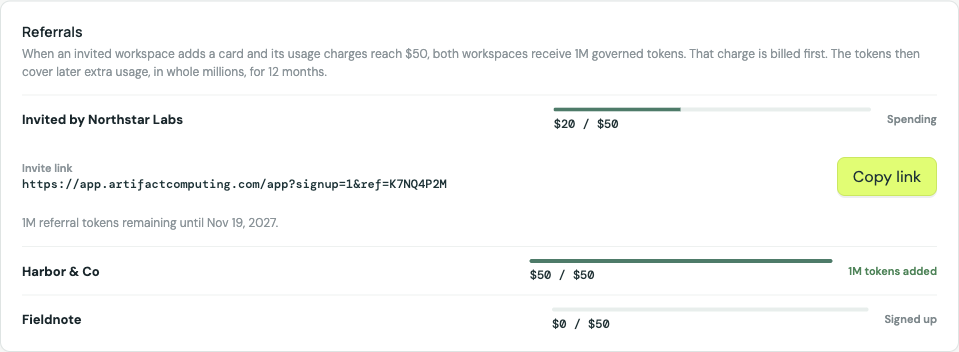
Referral signup now names the inviting workspace, explains the exact reward, notifies referrers at each qualifying milestone, and keeps the credit balance visible in billing.
How to use it
1
Open a workspace referral link and review who invited you, the $50 usage threshold, and the 1M-token reward before creating the account.
2
After signing in, open Usage & billing to copy your own invite link and track referral milestones and the remaining credit balance.
3
Open Notifications to review signup, card, and qualification updates for workspaces you invited.