Back to changelog
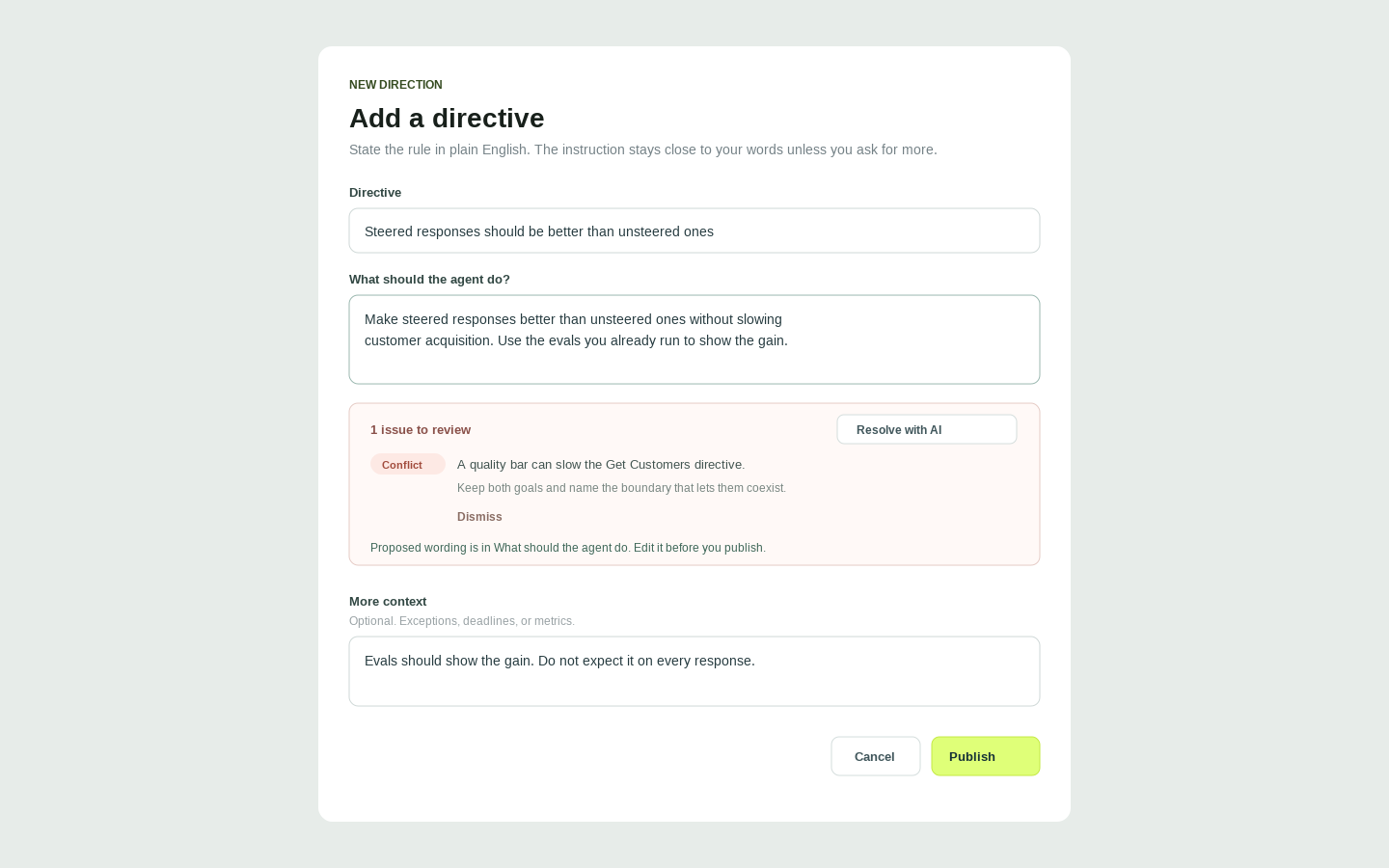
Resolve or dismiss a directive flag while you write
While you write a directive, you can dismiss a flagged issue or ask Artifact to propose instruction wording that reduces the conflict.
How to use it
- 1
Open Directives, choose New directive, and write the rule until a conflict or ambiguity appears.
- 2
Choose Resolve with AI to put revised wording in What should the agent do, or Dismiss to clear a flag you accept.