Back to changelog
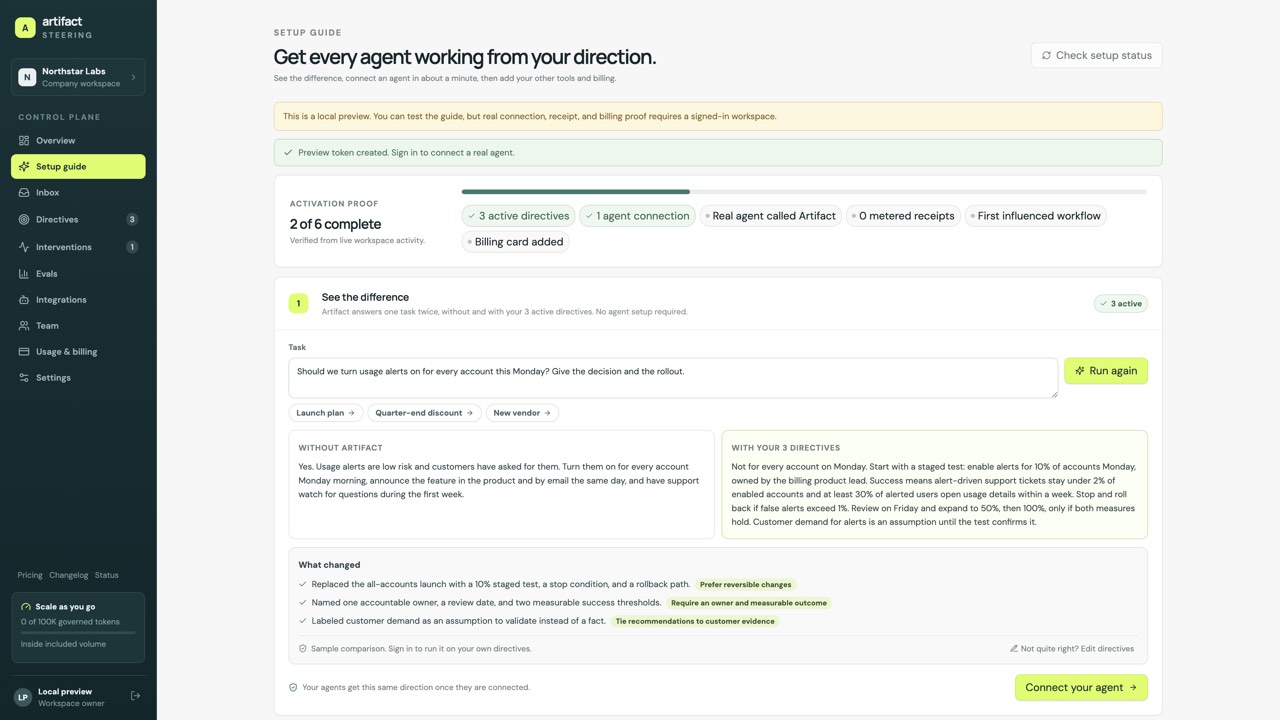
See steering work before you connect an agent
New workspaces see the same task answered with and without their directives right after onboarding, then connect an agent in about a minute.
How to use it
- 1
Open Setup guide and choose a suggested task under See the difference, or type your own and select Compare answers.
- 2
Read what changed, then select Connect your agent and choose Cursor, Claude Code, or another client.
- 3
Create a token, select Add to Cursor or run the Claude Code command, and send the first task. The guide marks the run when it arrives.