Back to changelog
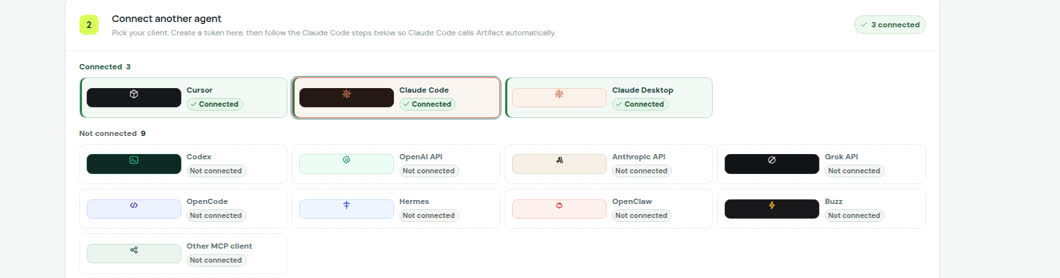
See which agents are connected at a glance
Setup guide groups each client under Connected or Not connected, so you can see who already has a token without reading every subtitle.
How to use it
- 1
Open Setup guide and go to Connect another agent.
- 2
Check the Connected group for clients that already have a token, and the Not connected group for one that still needs setup.
- 3
Select a client to create a token or finish its steps. The count beside the heading matches the clients in that group.