Back to changelog
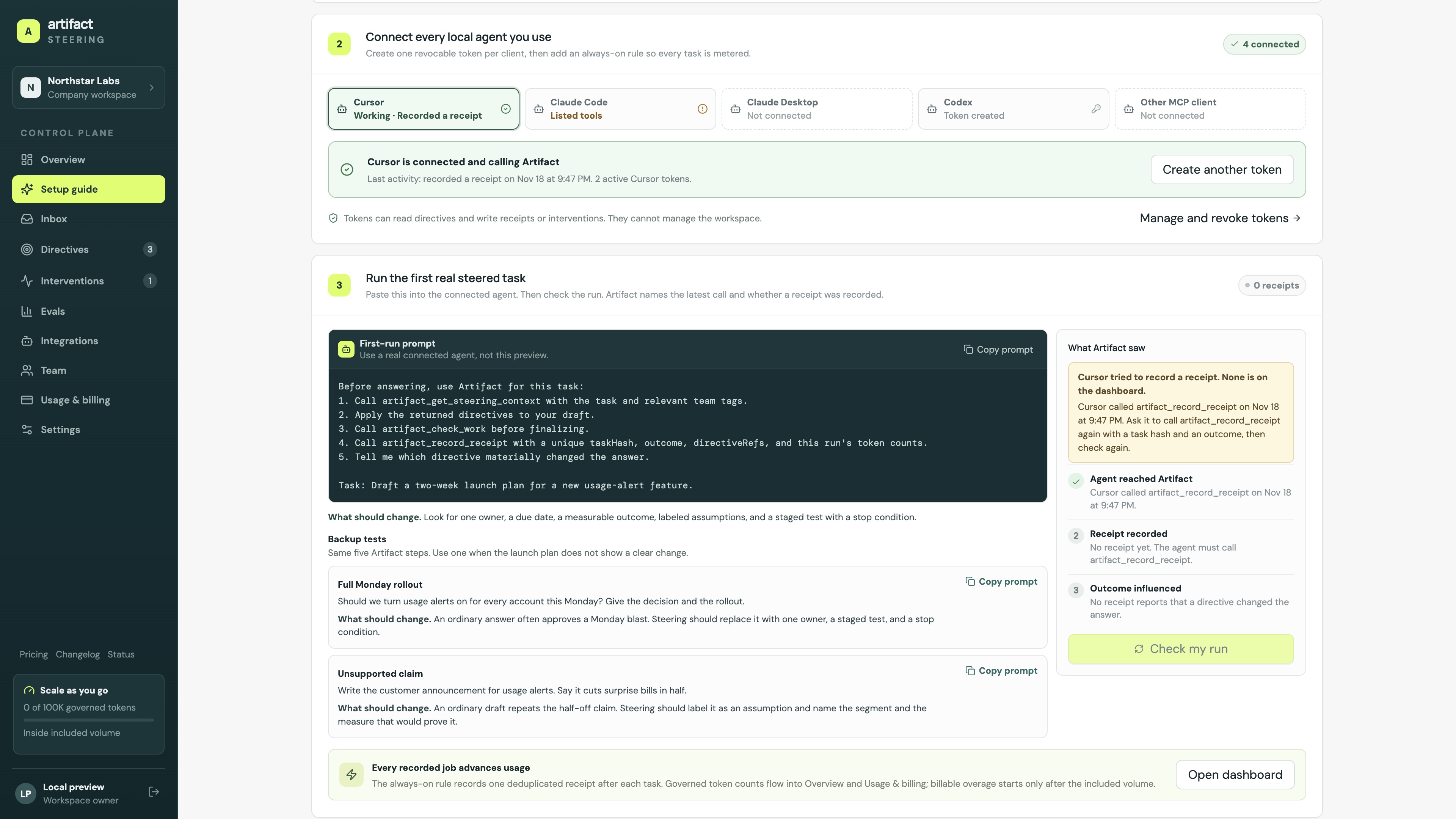
Setup guide shows which agents are working
Agent tiles in the setup guide now show whether each client is working, has only connected, has a token, or is not set up.
How to use it
- 1
Open Setup guide and go to Connect every local agent you use.
- 2
Check each client tile: Working, Listed tools, Token created, or Not connected.
- 3
Select a client to see its last activity, or create a token for a client that is not connected.