Back to changelog
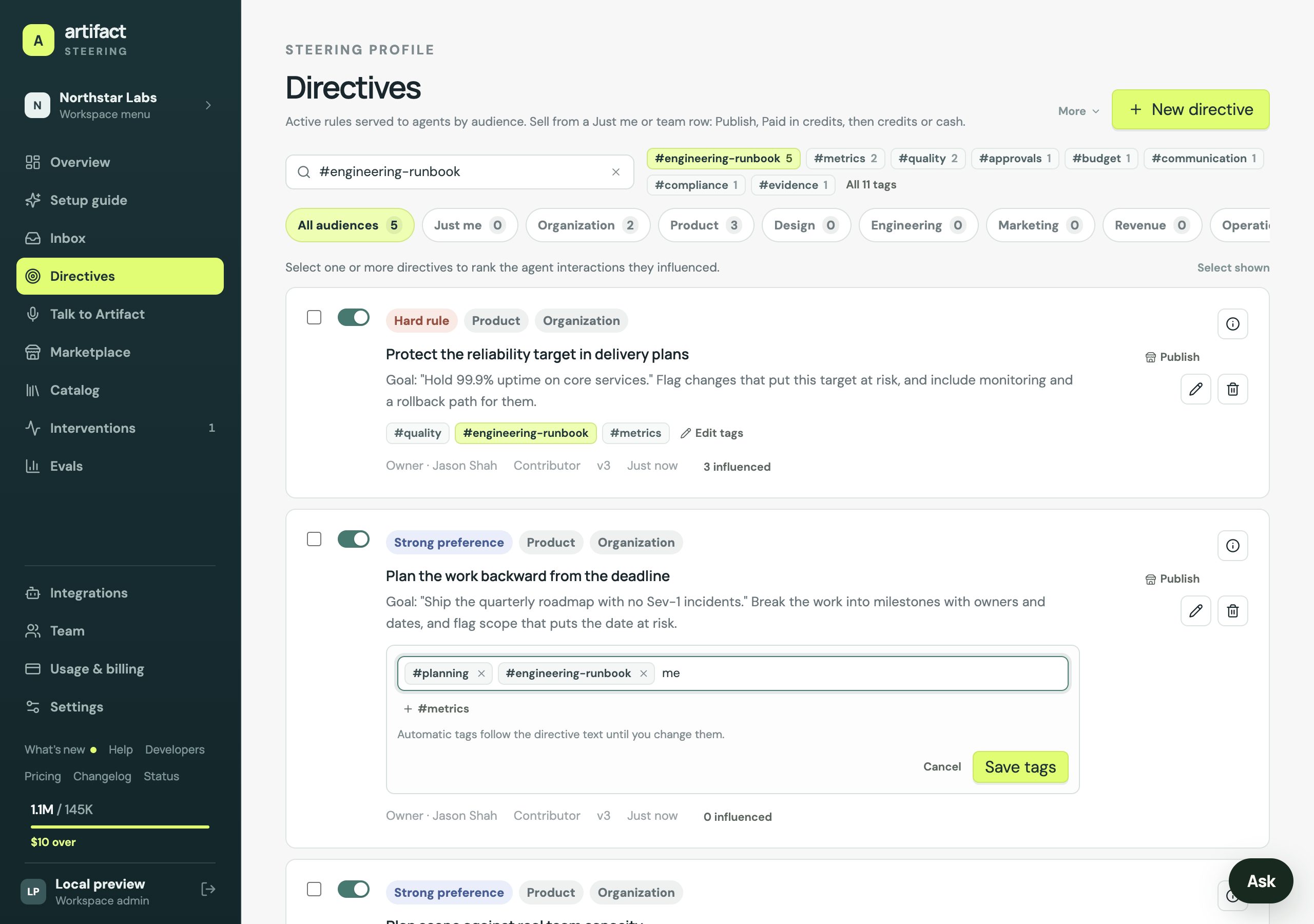
Tag and search directives
Every directive has tags, such as #engineering-runbook or #metrics, and Directives has a search for words and tags.
How to use it
- 1
Open Directives. Each directive shows its tags under the instructions.
- 2
Type a word or a #tag in Search directives, or choose a tag to filter the list. Choose another tag to narrow it further.
- 3
Choose Edit tags on a directive to add, rename, or remove tags, then choose Save tags.