
Turn Slack decisions into live agent direction
Connect selected Slack channels to Artifact so pricing exceptions, launch gates, and support rules become versioned directives—after someone accepts them—then reach Claude, ChatGPT, and Cursor before they answer.
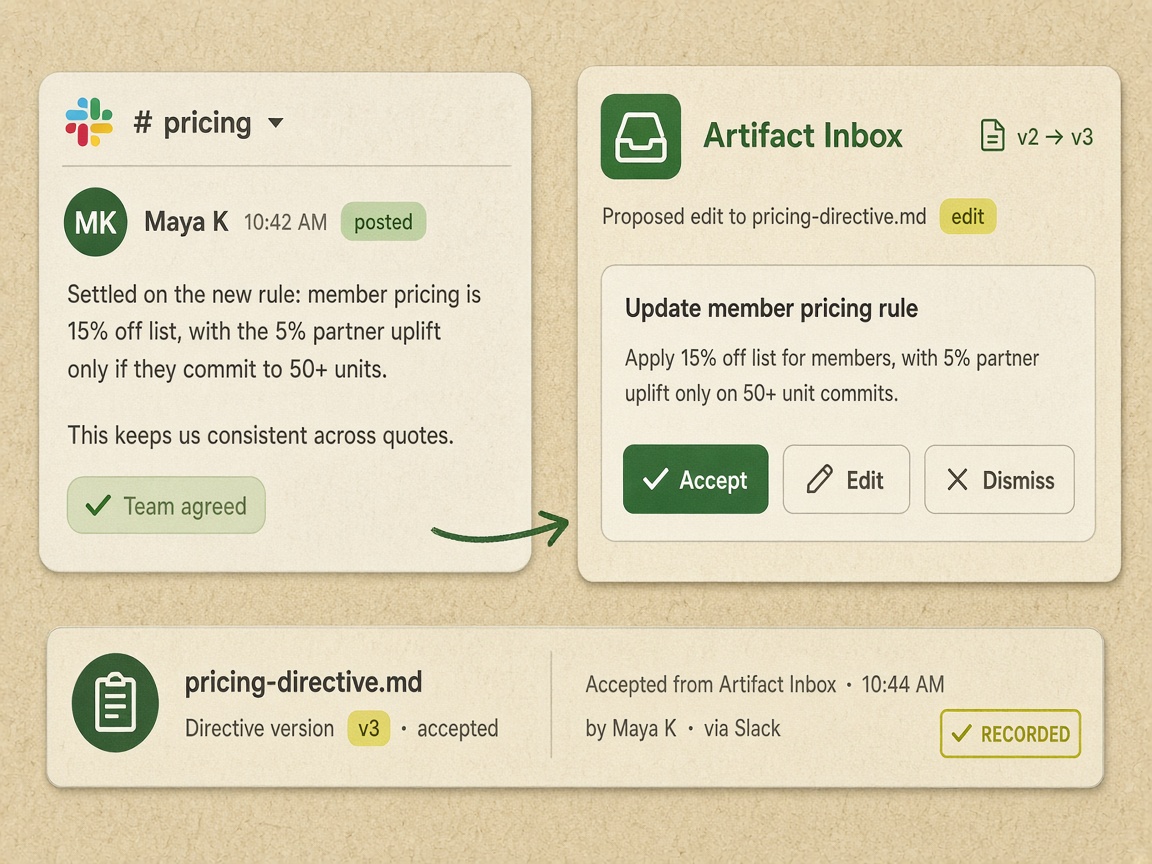
Slack stays where the team decides. Artifact turns an accepted proposal from selected channels into a scoped, versioned directive. Connected agents retrieve that current rule at task time. Nothing publishes until a person accepts it in Inbox; hard rules always wait for review.
For: Founders, ops, support, and GTM leads whose real decisions already land in Slack and who are tired of pasting the same thread into every agent chat.
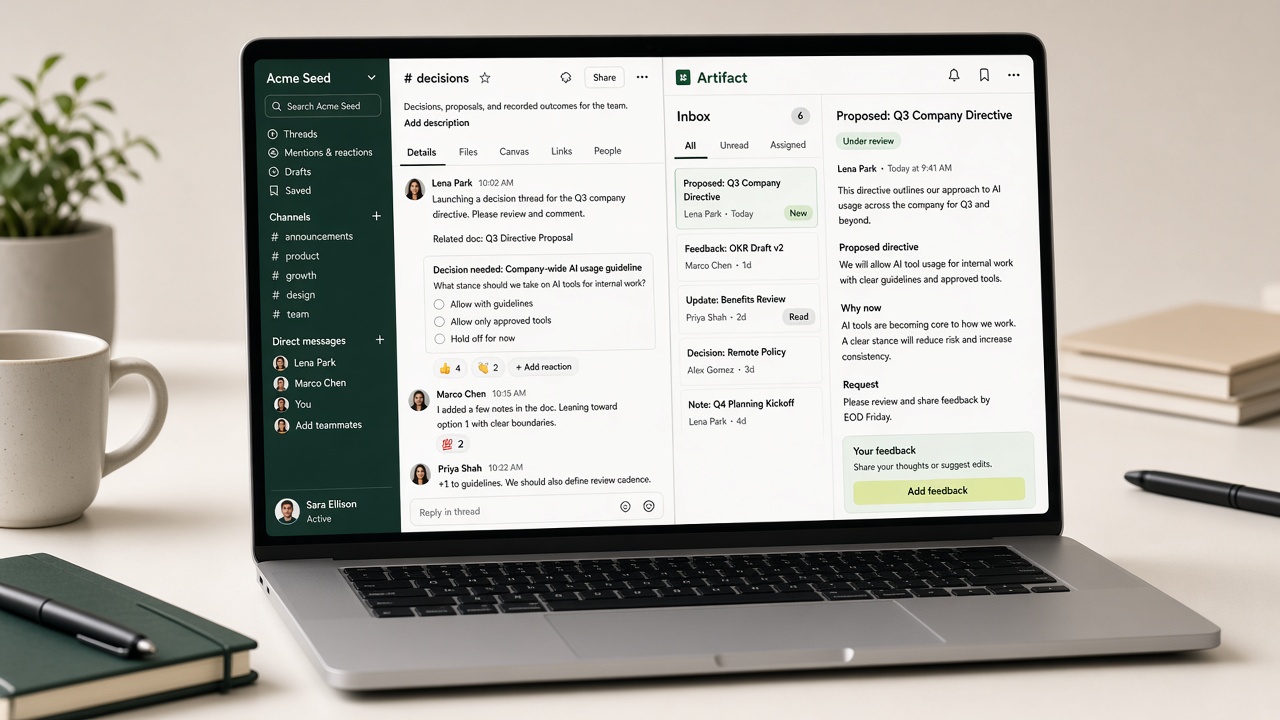
Decisions where they already happen
Keep settling rules in #pricing, #launch, or #support. Artifact reads only the channels you allow—not the whole workspace.
Propose, then publish
Inbox shows source, evidence time, and confidence. Accept, edit, or dismiss. Auto-accept can publish soft guidance; hard rules still wait.

Every connected agent gets it
Once live, Claude, ChatGPT, Codex, Gemini, Grok, Cursor, and specialized agents retrieve the same version before they answer.
Can we offer 20% on this renewal to close Friday?
Offer 20% to protect the close date and make up margin next year.
Hold at 10% or route the 20% ask to VP Revenue with deal context before promising it in Slack or in the customer reply.
Applied directiveRenewal discounts above 10% need VP Revenue sign-off
What is special about Slack + Artifact
Slack is the operating system of most early teams. The problem is not missing knowledge—it is that the agent in the next chat never saw the thread. Artifact does not replace Slack. It captures the durable decision from a selected channel and keeps the current version in front of every connected agent.
- Channel-scoped reads: invite the Artifact app, then pick conversations.
- DMs stay limited to the connecting person.
- Provenance stays attached: each proposal names its Slack source and separates quote from inference.
- Sync re-reads chosen sources so a later decision can become a new proposal.
How the workflow actually runs
A member connects Slack on Integrations. They select channels that settle recurring rules—discount ceilings, launch gates, escalation ownership, ICP focus. Artifact proposes directives into Inbox. An editor accepts or edits. The directive gets an owner, scope, and strength. Agents call Artifact before consequential answers and record which version applied.
- Review mode is the default for every proposal.
- Hard-rule proposals always wait in Inbox, even when auto-accept is on for guidance.
- Rejecting can suppress similar proposals so noise does not return.
Where this wins first
Start with one channel that already settles a consequential rule every week. Pricing exceptions, support data boundaries, and release gates are strong fits. Skip social or noisy channels that do not produce durable operating rules.
- #revenue or #sales-ops for discount and approval thresholds.
- #eng-release or #launch for rollback and ship gates.
- #support for customer-data and escalation boundaries.
Privacy and evidence
Slack is used to propose direction. Interaction receipts record directive versions, outcomes, latency, and token counts. Raw prompts and replies are not retained as receipt content. That keeps the audit trail about which rule ran—not a second copy of the Slack archive.
- Members can connect shared context sources.
- Publishing still follows workspace review rules.
- Disconnecting Slack stops new proposals from that source after confirm.
Frequently asked questions
Does connecting Slack publish directives automatically?
No by default. Review mode keeps every proposal in Inbox until someone accepts or dismisses it. Auto-accept can publish guidance and preferences; hard rules still wait for review.
Does Artifact store Slack message bodies as agent transcripts?
Slack proposes directives. Receipts record directive versions, outcomes, latency, and token counts. Raw prompts and replies are not retained as receipt content.
Who can connect Slack?
Context sources are workspace-level. Members can connect and sync Slack. Publishing from a proposal still follows the workspace review rules.
What if Slack shows no channels?
Invite the Artifact app to the channel, then reopen the channel list in Integrations.
Can one Slack-sourced directive reach Harvey or Clay too?
Yes. Once published, the directive can govern every connected MCP agent, or you can limit it to named connections.