
Steer Glean agents with current company decisions
Add Artifact as a remote MCP server in Glean so enterprise search agents apply owned priorities and approval limits before they answer—not only retrieved documents.
Create a private Artifact token, register Artifact as a remote MCP server in Glean with a Bearer credential, and keep the Artifact workflow in the agent instructions. Glean retrieves knowledge; Artifact returns the current directive version.
For: Enterprise search and AI platform teams running Glean who need agents to follow last week’s owned decision, not only last year’s policy page.
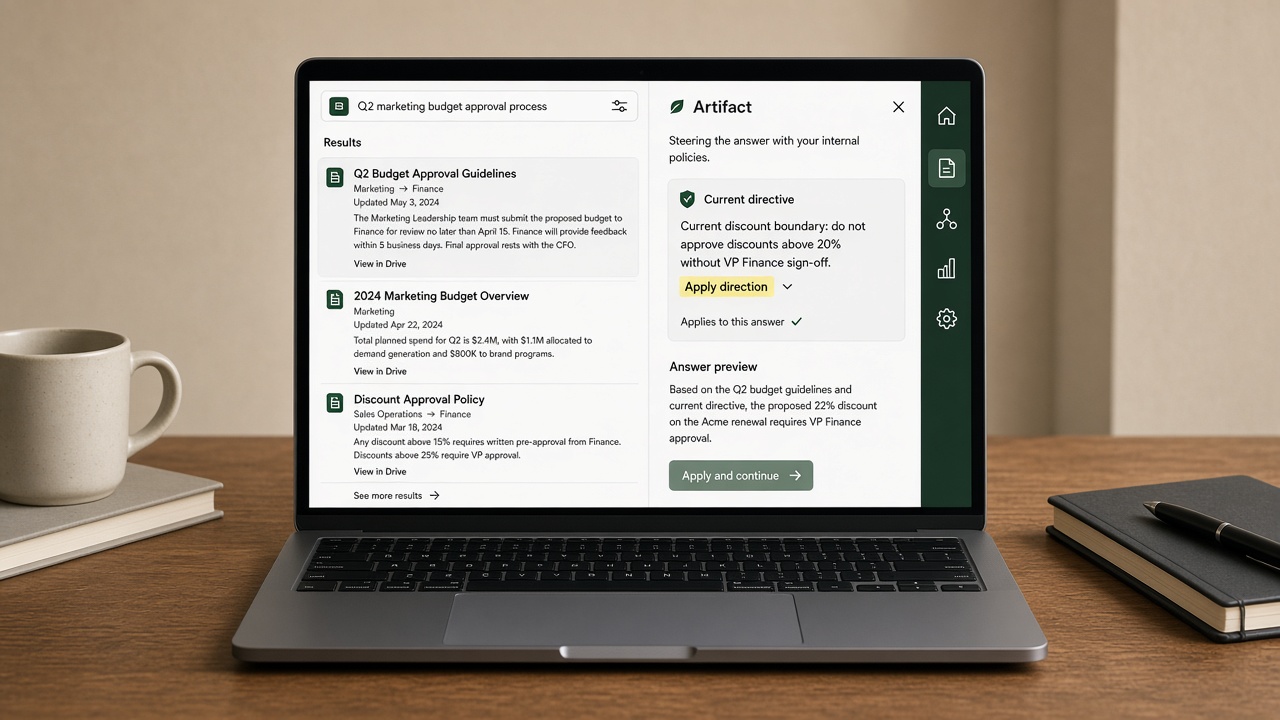
Glean finds the corpus. Artifact settles the live rule.
A retrieved policy page can be outdated relative to the decision an owner made yesterday. Artifact keeps that decision versioned and returns it before the Glean agent drafts a consequential answer.
MCP, not another prompt paste
Point Glean at Artifact over MCP with a private token. Keep client instructions focused on when to retrieve direction and record the receipt.

Same profile as Claude and Cursor
One workspace directive can govern Glean alongside Claude, ChatGPT, and Cursor—or you can scope it to named connections.
Should the agent recommend a 25% annual discount from the pricing wiki?
The wiki mentions flexible annual deals—offer 25% to accelerate close.
Keep the offer at or below 15%, or route the 25% request to Revenue Operations with deal context—even if an older wiki page sounds flexible.
Applied directiveAnnual discounts above 15% require Revenue Operations approval
What is awesome about Glean + Artifact
A retrieved policy page can be outdated relative to the decision an owner made yesterday. Artifact keeps that decision versioned and returns it before the Glean agent drafts a consequential answer. Keep hard permissions in the vendor stack; use Artifact for owned priorities, boundaries, and exceptions that change faster than a prompt file.
- Glean remains the agent surface your team already trusts.
- Artifact returns the matching directive version before the response.
- Receipts show outcome and version without storing raw transcripts.
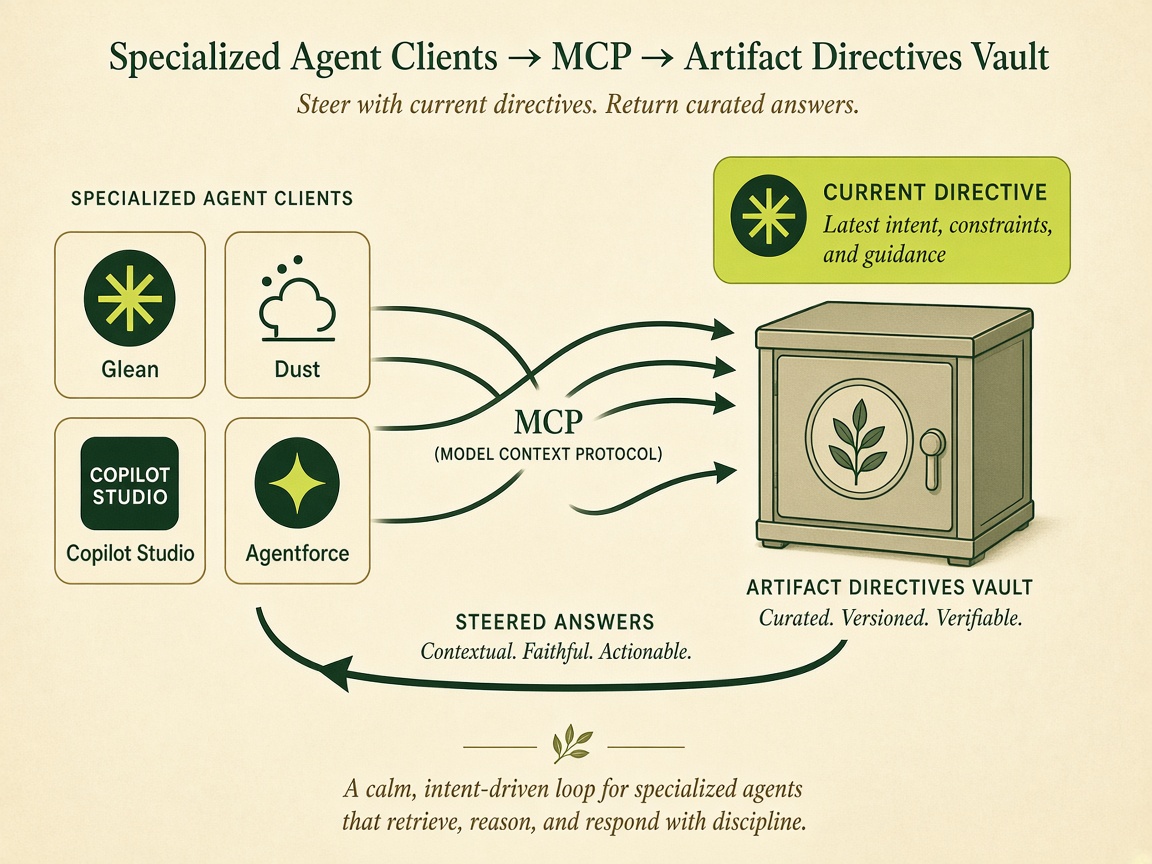
How to connect
Create a token in Artifact, add the MCP server in Glean using the values below, save the Artifact workflow in instructions, and run one verification task that should hit a live directive.
- Limit tools to Artifact steering and receipt methods when the client allows.
- Verify the interaction appears in Artifact before rolling out broadly.
- Update the directive when policy changes—do not edit every agent prompt.
Where it wins
Consequential answers that should respect approval limits, data boundaries, ICP focus, or review gates—especially when the agent also retrieves internal knowledge.
- Commercial exceptions and discount ceilings.
- Customer-data and retention boundaries.
- Launch, legal, or finance gates with named owners.
Connector values
- MCP server URL
- https://app.artifactcomputing.com/mcp Remote MCP endpoint
- Authentication
- Bearer token Private token from Artifact Integrations
Replace the placeholder with a private token created inside your Artifact workspace. Do not publish or share the token.
Frequently asked questions
Is Artifact a replacement for Glean?
No. Glean remains the agent or search surface. Artifact is the steering layer for current company direction.
Where is the vendor setup documented?
Use Glean’s own MCP documentation for the product steps. This page covers the Artifact URL, token, and steering workflow.
Can directives be scoped only to Glean?
Yes. A directive can apply company-wide, to a team, or to named agent connections.
Does Artifact store the conversation?
No. Artifact records directive versions, outcomes, latency, and token counts—not raw prompts or replies as receipt content.